Start with the shape.
Define tray dimensions, returns and fascia legs. Bring in artwork and choose the material and finish.
Explore design tools ↗Design your trays. Plan the build. Show the result.
One workspace for the sign-making workshop.
ONE JOB. EVERY STAGE.
Keep the design, the manufacturing view and the customer presentation together as the job develops.
Define tray dimensions, returns and fascia legs. Bring in artwork and choose the material and finish.
Explore design tools ↗Inspect flat patterns, sheet layouts, backing trays and LED placement before preparing production DXFs.
Prepare the workshop files ↗Match your design to site photos in Mock Up Studio, save alternatives and build a customer PDF report.
Meet Mock Up Studio ↗Face sheet layout · The actual Cohens job
THE DETAILS THAT MAKE THE JOB
Move between the overall sign and the details that matter in the workshop.
Dimensions, returns, seams and corner options in an applied job.
Review stock choices, packed sheets, backing and acrylic layouts.
Prepare DXFs for CAM and saved mock ups for your customer report.
COHENS / FROM ARTWORK TO INSTALLATION
Follow the completed Cohens project through the app, its saved mock ups and the finished sign.
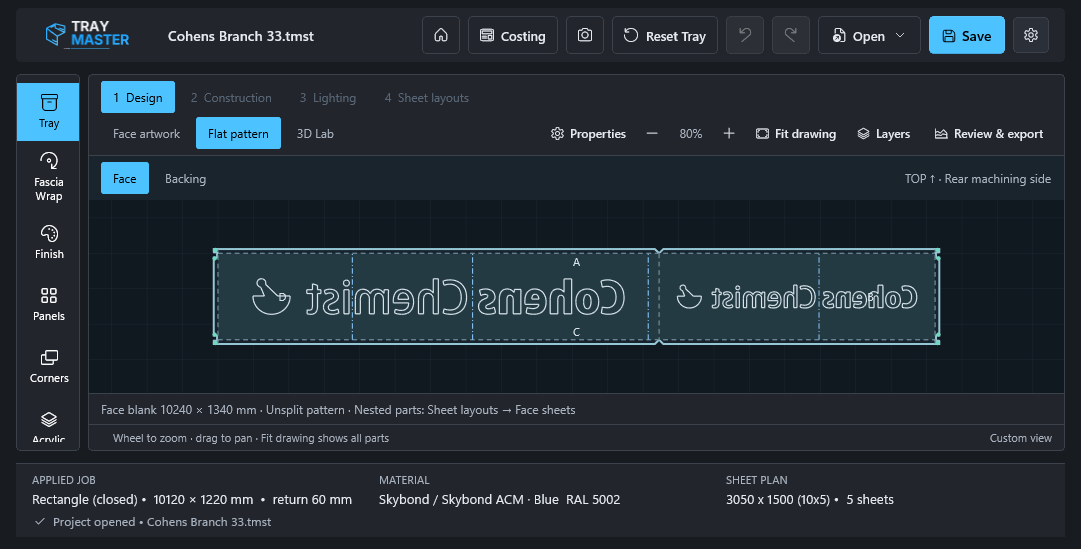
The real Cohens artwork in the current app’s rear-machining view.
Read this stage’s guide ↗Animated sequence of current app captures and original project images. Survey photos, proposed mock ups and the completed installation are labelled individually.
Silent animated walkthrough with chapter labels, using the same project material shown above.
A REAL COMPLETED JOB
Cohens brings the whole story together: the original site photograph, saved day and night mock ups, and the actual completed fascia.
Switch views to compare the project material. The saved mock ups are proposals; the completed view is a real installation photograph from a different viewpoint.
See the Cohens case study ↗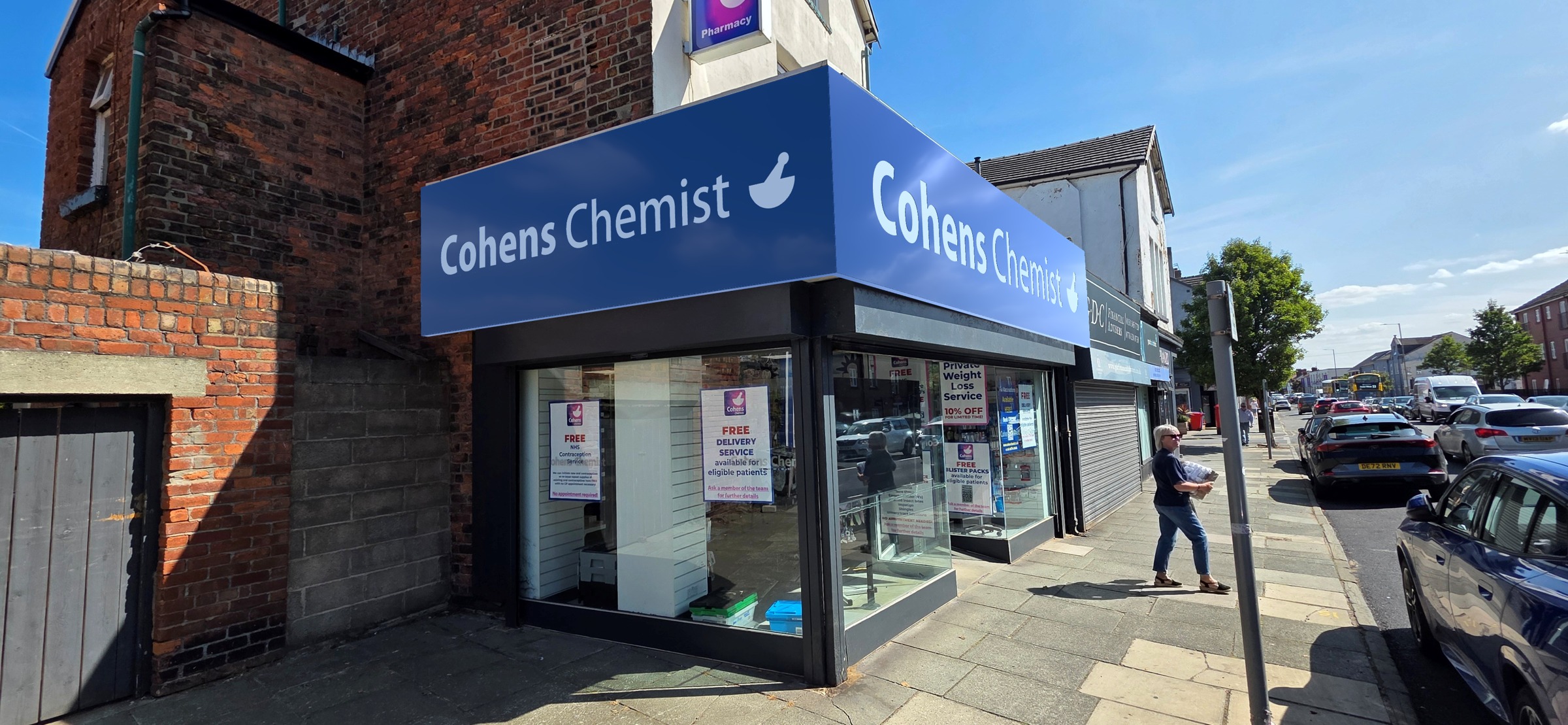
THE WHOLE JOB, TOGETHER
Portable .tmst jobs keep artwork, original photos, editable mock ups and report alternatives with your design.
Learn about job filesA LITTLE HELP, RIGHT WHEN YOU NEED IT
Create a job, define your tray and save your first portable project.
Add survey photos, match the sign and keep editable alternatives.
Choose saved mock ups, arrange photo pages and preview the finished PDF.
NEXT UP: THE BETA
The Windows beta and licence portal are being prepared.
Everything you need will be linked here when they’re ready.